Steam
Single Sign On
Single Sign On
Here we will see how to create an OAuth client ID, so you can access user's data through Google or Github.
First you need go to Google APIs and log in with your google account.
Then in Credentials > Create credentials > OAuth client ID
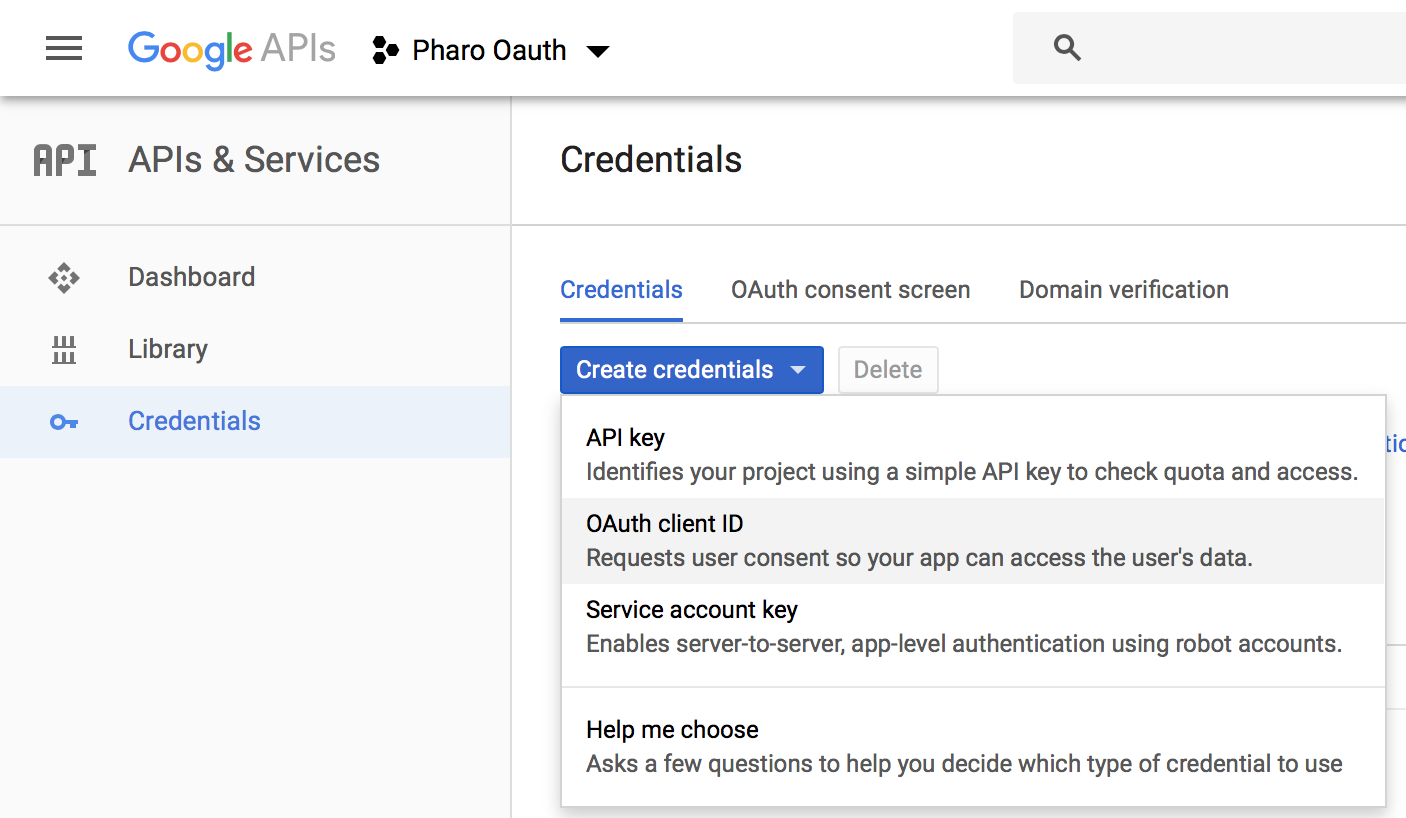
Choose Web application and a name for your authentication application, you can use the same as for the steam app : "Manager".
The name will be displayed when a user will try to connect to your steam application via Google.
For the Authorised redirect URIs put http://localhost:8181/oauth2callback.
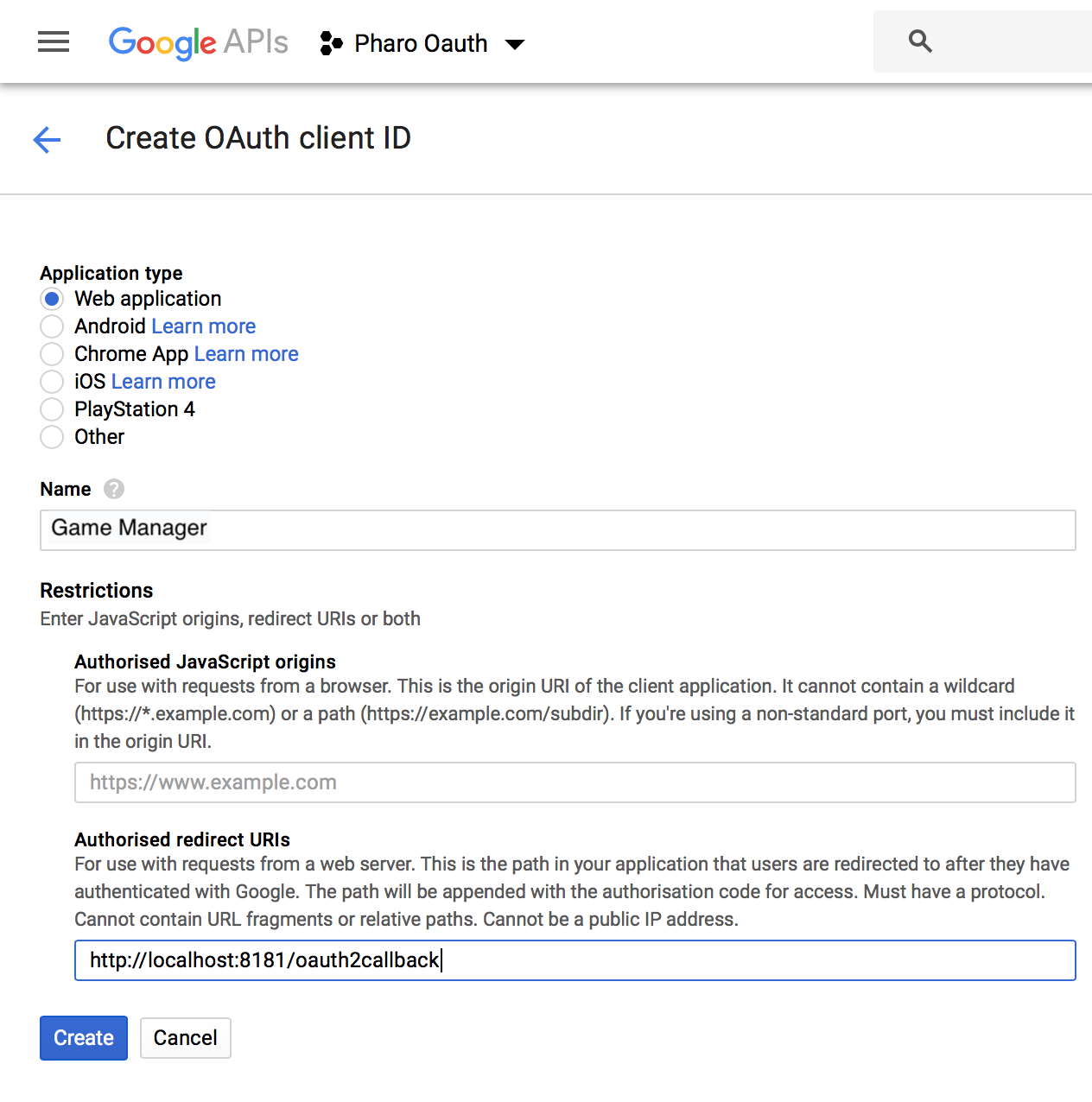
After clicking on Create you will need to copy and paste the client ID to key and client secret to secret in GameManager class side.
GameManager class >> oauthHandlers
	^ {(STGoogleAuthHandler
		key: '' "paste client ID here"
		secret: '' "paste client secret here"
		redirectUrl: 'http://localhost:' , self seasideServer port asString , '/oauth2callback')}
And we also have to initialize our class so it can be taken into account.
GameManager initialize.
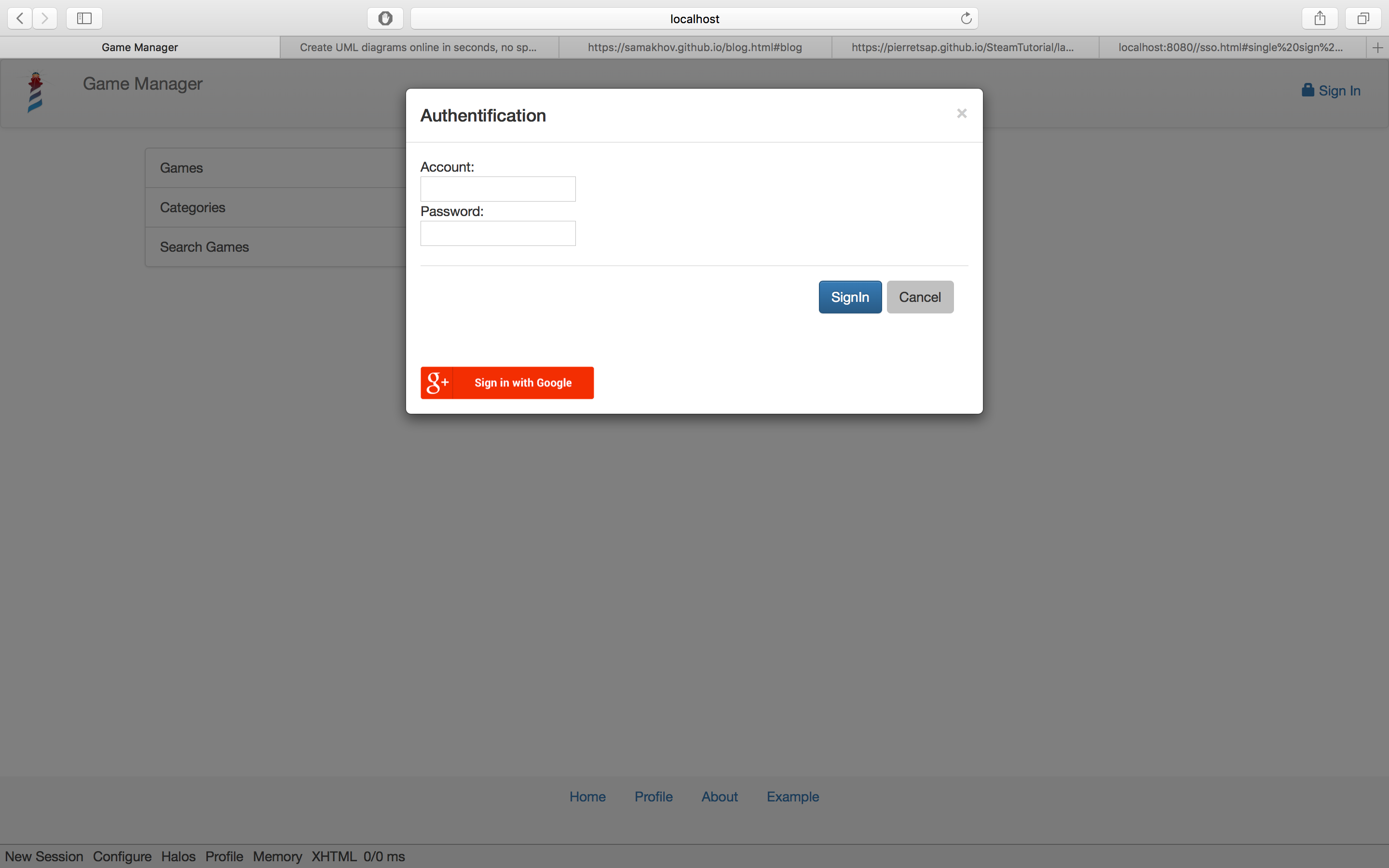
You should be able to authentify yourself with google.
GitHub
It's basically the same for Github, you need go to Developer settings and log in if it's not already done.
Then in OAuth Apps > Register a new application or New OAuth App if you already have some.
For the Application name you can put "Manager", for Homepage URL put "http://localhost:8181/Manager" and Authorization callback URL put "http://localhost:8181/oauth2callback"

After clicking on Register application you will need to copy and paste the client ID to key and client secret to secret in GameManager class side.
GameManager class >> oauthHandlers
	^ {(STGoogleAuthHandler
		key: '' "google client ID"
		secret: '' "google client secret"
		redirectUrl: 'http://localhost:' , self seasideServer port asString , '/oauth2callback').
	(STGithubAuthHandler
		key: '' "paste client ID here"
		secret: '' "paste client secret here"
		redirectUrl: 'http://localhost:' , self seasideServer port asString , '/oauth2callback')}
Again don't forget to initialize our class so it can be taken into account.
GameManager initialize.
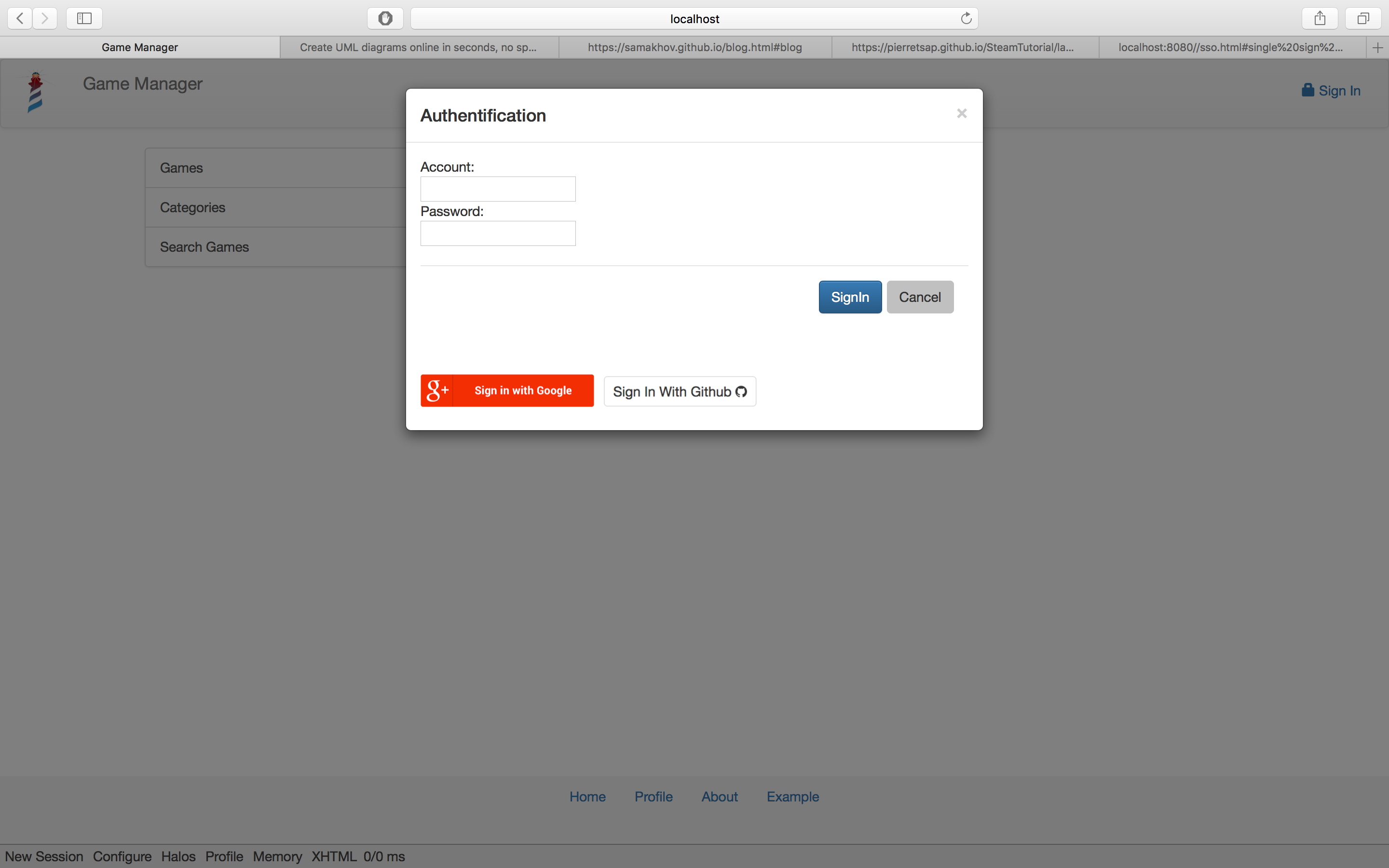
Google and GitHub should work now.